Whoever is in charge of IT at a small business has a lot of things to worry about with a fairly limited budget and limited time to accomplish everything. Total Defense for Business offers small businesses an integrated cloud security platform that allows the administrator to handle endpoint security and Web and email filtering from a single management console. Endpoints have to be kept up-to-date with anti-malware tools, email threats need to be filtered out before the messages reach the user's inbox, and malicious?or inappropriate?sites need to be blocked. Total Defense for Business offers a fairly robust policy framework to handle all three different tasks to make the administrator's daily to-do-list easier to manage.
Total Defense for Business is a feature-packed cloud security platform where all the elements are tightly integrated. Total Defense offers anti-malware protection for endpoints, Web and email, such as detecting and removing malware on the endpoint, scanning emails and taking action when malware is detected, and blocking websites attempting to download malware. A robust rules engine allows administrators to create filtering policies and define granular application controls. I created email and Web policies to restrict file downloads, control what files could be uploaded or emailed (for data leak prevention), and prevent users from accessing certain sites and applications which violate corporate policy.
At first glance, Total Defense for Business reminded me a lot of GFI Cloud, a cloud security platform from GFI Software. GFI Cloud also provides antivirus protection (delivered via the company's VIPRE Antivirus engine)?for the endpoint, but its focus is primarily network management, not security. GFI Cloud offers asset management, health monitoring, and remote support. Total Defense for Business is focused on keeping emails clean, blocking malicious websites, and protecting the endpoint and is essentially a cloud-based unified threat management appliance. I use Sophos UTM as a virtual appliance, and Total Defense for Business felt very similar, except without having to source a server capable of running the virtual machine image.
Getting Started
Small businesses are beginning to realize that cloud security services are cheaper and often easier to manage than on-premise hardware and software. Getting started with Total Defense is pretty simple, as all you really need is the domain's MX record and information about the Web proxy in order to direct all email and Web traffic through Total Defense's servers. There is no hardware to deploy or software to configure.?
I received the login credentials for my Total Defense account over email. Logging in, I saw the interface, with tabs for Dashboard, Filter Management, Quarantine, Archive, and Reports. Since this was my first time logging in, I was automatically directed to Filter Management where I could turn on Web and Email filtering. There are a lot of features packed into the platform, and Total Defense does a pretty good job of peppering the screens with relevant help text and links to the User Guide.
Total Defense for Business supports Windows, Mac OS X, and Linux. There doesn't seem to be a way yet to apply the security policies to users on smartphones and tablets, just yet.
Total Defense sells through the channel, so businesses need to contact their local reseller or distributor to purchase an annual subscription for Total Defense for Business. The list price is $71.50 per user per year, for full Web, Email, and Endpoint functionality. While the price may seem pretty high at first, it's worth noting that the per-user license covers multiple devices. The company also offers a 15-day free trial for anyone wanting to try out the platform first. Customers can get support over the phone or open up a support ticket online.
Web Filtering
To turn on Web filtering, Total Defense needs my public-facing IP address to recognize all the traffic with that IP address as being part of my network. The service can take up to 24 hours to accept and initialize the IP address, so I had to wait before configuring my Web proxy settings. I had the option to turn on user authentication with Web filtering, which means users have to log in to prove they are authorized to use the Total Defense platform.?Next: Web and Email Filtering, Endpoint Security with Total Defense
Source: http://feedproxy.google.com/~r/ziffdavis/pcmag/~3/0Px9xGxS5is/0,2817,2417247,00.asp
Gabriel Aubry cyber monday deals small business saturday small business saturday best cyber monday deals best cyber monday deals macaulay culkin

![[ Back to EurekAlert! ]](http://www.eurekalert.org/images/back2e.gif) Public release date: 28-Mar-2013
Public release date: 28-Mar-2013 Share ]


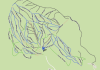 Winter is almost over, but that isn’t stopping Google from expanding its list of ski runs on Google Maps. Just over a month after its last update, Google today announced that it has added trail maps for another 100 resorts in the U.S. and Canada to Google Maps. Today’s update includes a number of major resorts, including Oregon’s Mt. Hood Meadows and Timberline Lodge resorts, as well as smaller ski areas like New York’s Hunter Maintain Ski Resort. Ski runs on Google Maps are marked by the usual blue, green and black lines to mark the difficulty of the terrain. Ski lifts are shown as red dotted lines. Before last month’s update, Google launched its effort to add ski runs to Google Maps by adding about 90 maps in November 2012. Overall, Google Maps users can now find about 225 different ski resorts on Google Maps. Except for a few European mountains that were part of the first batch, Google hasn’t released any new maps for European ski resorts since. Here is a list of all the newly added resorts: